One project, three formats: designing for 16:9, 9:16 and 1:1
Landscape, portrait and square are not crops of each other. How Twelve Studio recomposes the same scene for every screen.
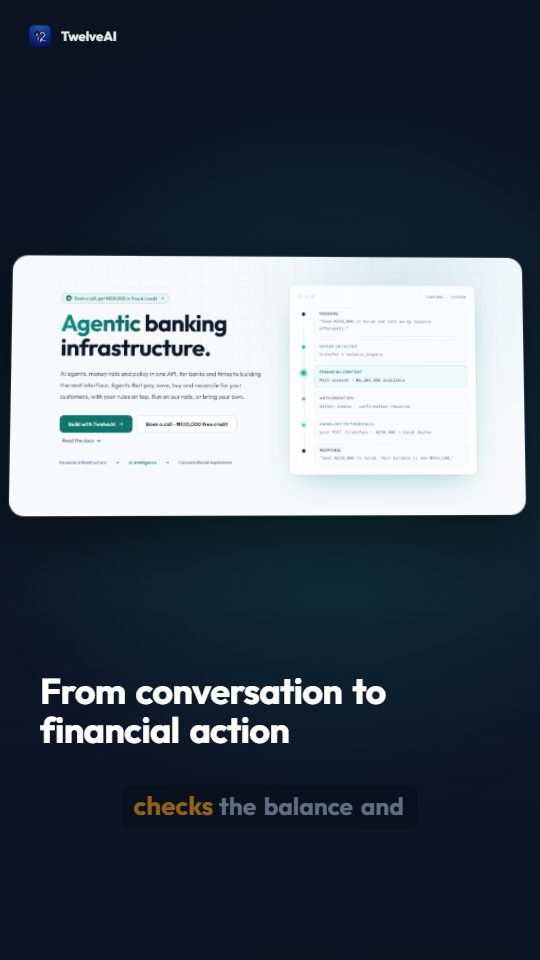
The fastest way to ruin a launch video is to crop it. Take a landscape cut, centre-crop it to portrait, and you lose half the screenshot and most of the headline.
Twelve Studio never crops. Every format is laid out from the same scenes, by the same composition code, with rules that know what each shape is for.
What changes between formats
- Screenshots are measured and framed to fit. In landscape a wide capture fills most of the frame. In portrait it moves to the upper half, full width, with room below for text. Tall captures scroll inside the frame instead of shrinking to nothing.
- Headlines sit beside or below the visual in landscape, and stack under it in portrait and square, with sizes tuned to the shorter line length.
- Captions get larger in portrait and break after fewer words, because a phone held at arm's length needs fewer, bigger words.
- Safe areas keep text away from the zones that platforms cover with their own buttons and labels.
What stays the same
The script, the voice, the scene order, the brand kit and the timing. You write once. Narration is generated once and shared by every format, so a portrait cut never drifts from the landscape one.
Rendering every size
Tick the formats you want and press Render. One job produces an MP4 for each, at 1920 by 1080, 1080 by 1920 and 1080 by 1080.
If one format needs a different emphasis, change the scene and render again. Only the visuals re-render; the voice comes from cache.